
B2B Commerce
A wholesale storefront for Craft Commerce — company accounts, quotes, order approvals, pay on account and quick ordering, all on top of native Craft Commerce.
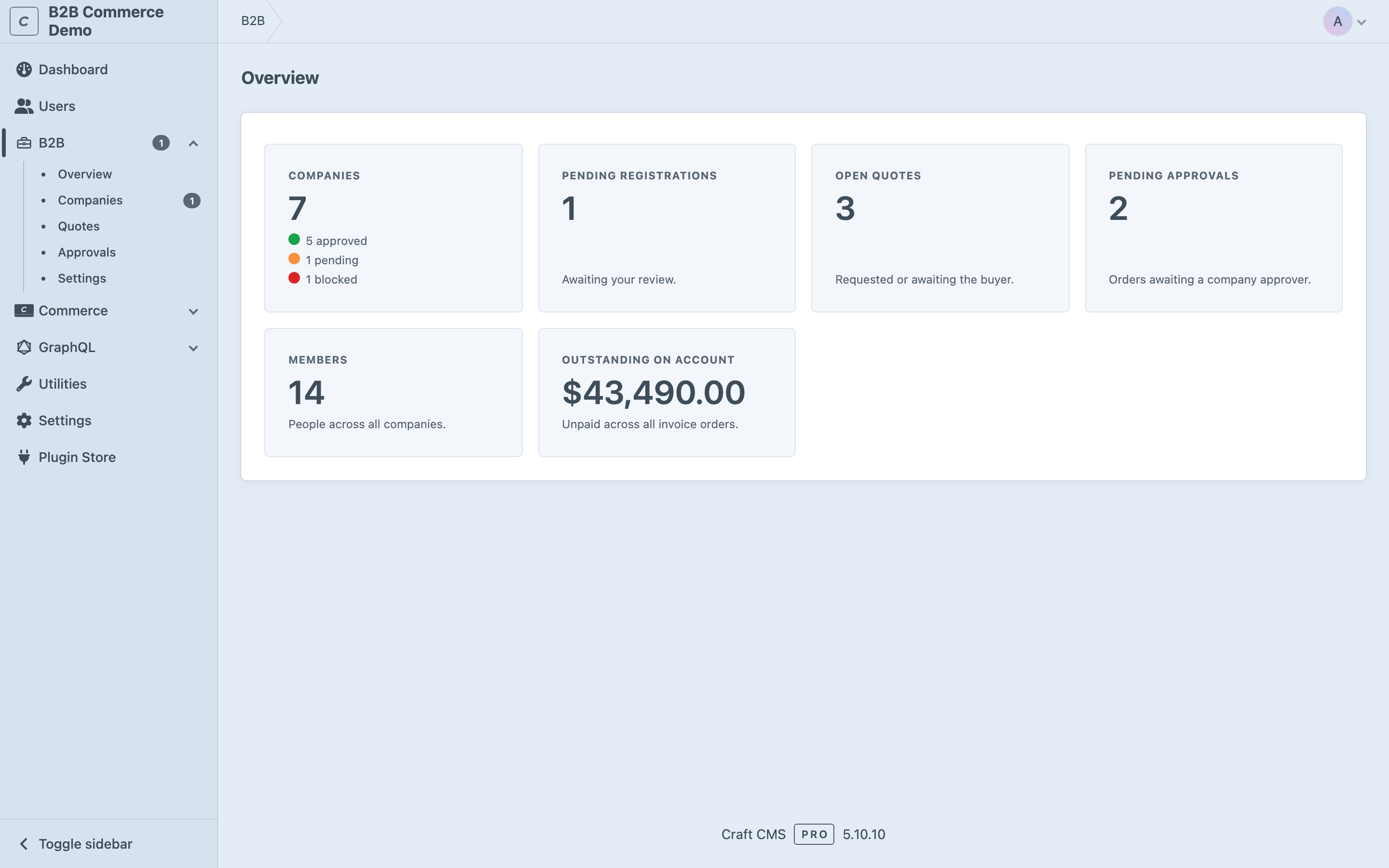
Why B2B Commerce
Craft Commerce is built for B2C: one shopper, one card, one checkout. Selling to businesses works differently. A company buys as a team, spends against a budget and an approval chain, wants to pay on invoice instead of upfront, and reorders the same things again and again.
B2B Commerce adds exactly that on top of native Craft Commerce — without replacing it. Your catalog, checkout, taxes and payments stay standard Commerce; the plugin layers the B2B behaviour around them. Everything is managed from one B2B section in the control panel, so you see companies, quotes, approvals and outstanding balances at a glance.
What it does for you
- As a merchant — less manual work. Businesses register and are vetted from the control panel, quotes and invoices become PDFs for you, and credit limits are watched automatically so an unpaid balance never catches you out.
- As a company admin — control. Roles, per-department budgets and multi-level approval ladders let your team order freely while spend stays inside the rules you set.
- As a buyer — speed. Reorder in seconds, check out on account, and pay exactly the price you were quoted.
Company accounts
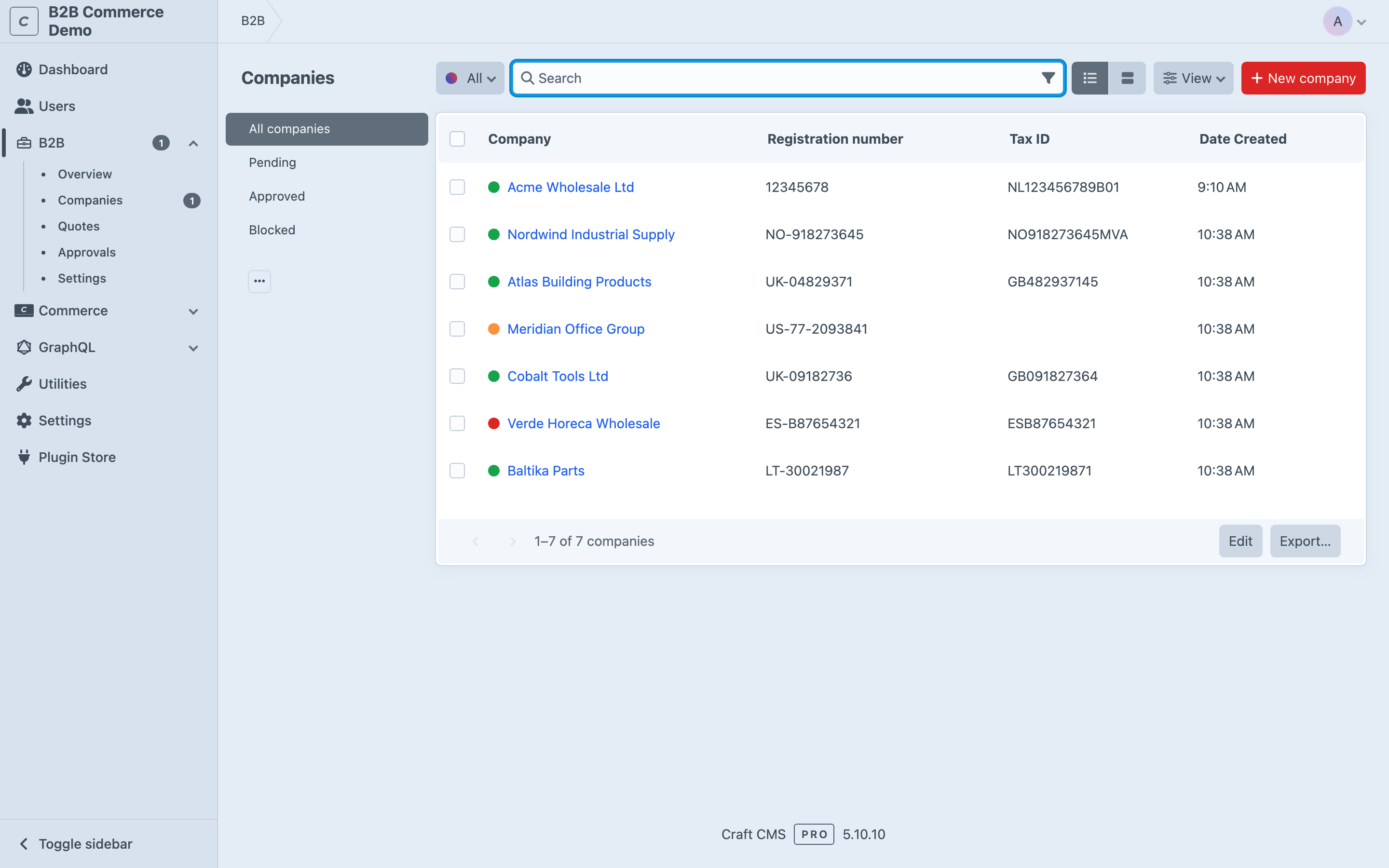
Companies are first-class elements with their own statuses (pending, approved, blocked) and roles (admin, purchaser, approver). Businesses register from the storefront and are approved by a store manager in the control panel — so you decide who gets to buy, and every member orders under one shared company account with a shared team and address book.
What you gain: a clean intake and vetting flow, and one place to see and manage every business buying from you. See Companies & teams.
Quotes
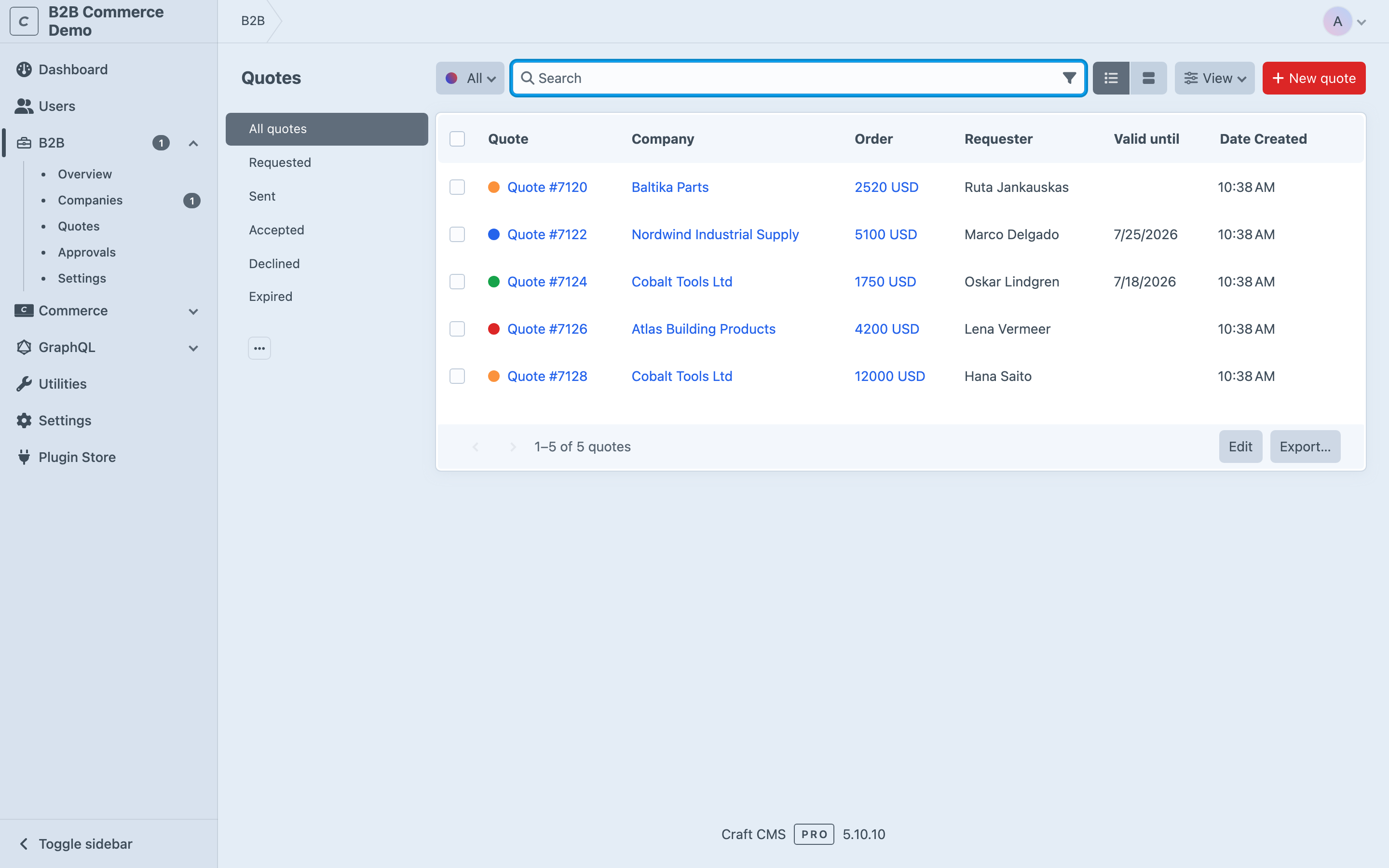
An approved buyer turns a cart into a quote request, or you send one proactively from any order. Either way the agreed prices freeze, and the buyer checks out at exactly what was quoted — with a quote PDF attached.
What you gain: negotiated pricing without spreadsheets or email threads, and no risk of a buyer paying a different amount than you agreed. See Quotes.
Order approvals
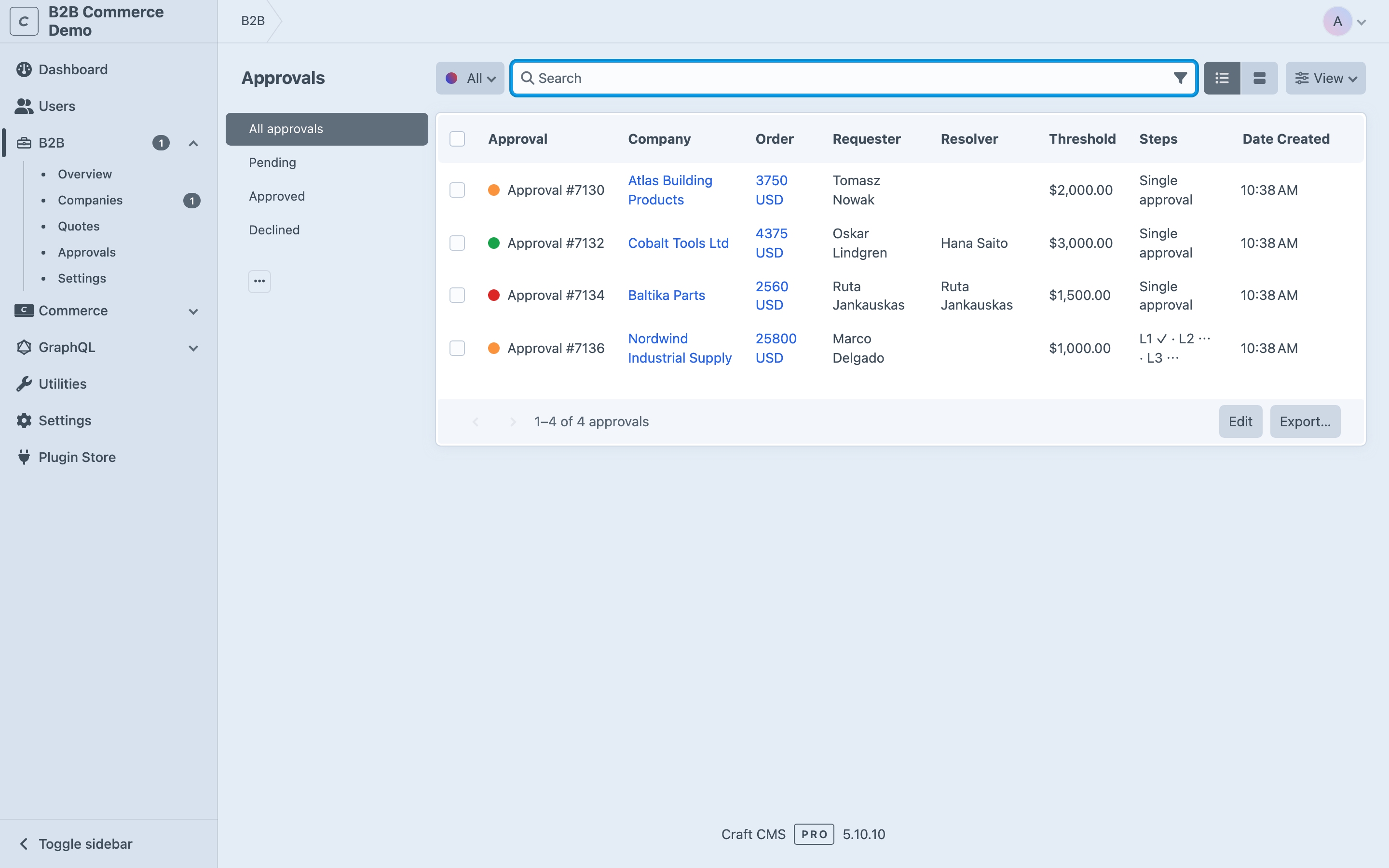
Set a spending threshold or an amount-tiered, multi-level approval ladder. Orders above a limit route to the right approver and are held until they approve or decline — enforced both at payment time and at completion.
What you gain: companies keep spend under control, and you only fulfil orders that are actually authorised. See Order approvals.
Pay on account
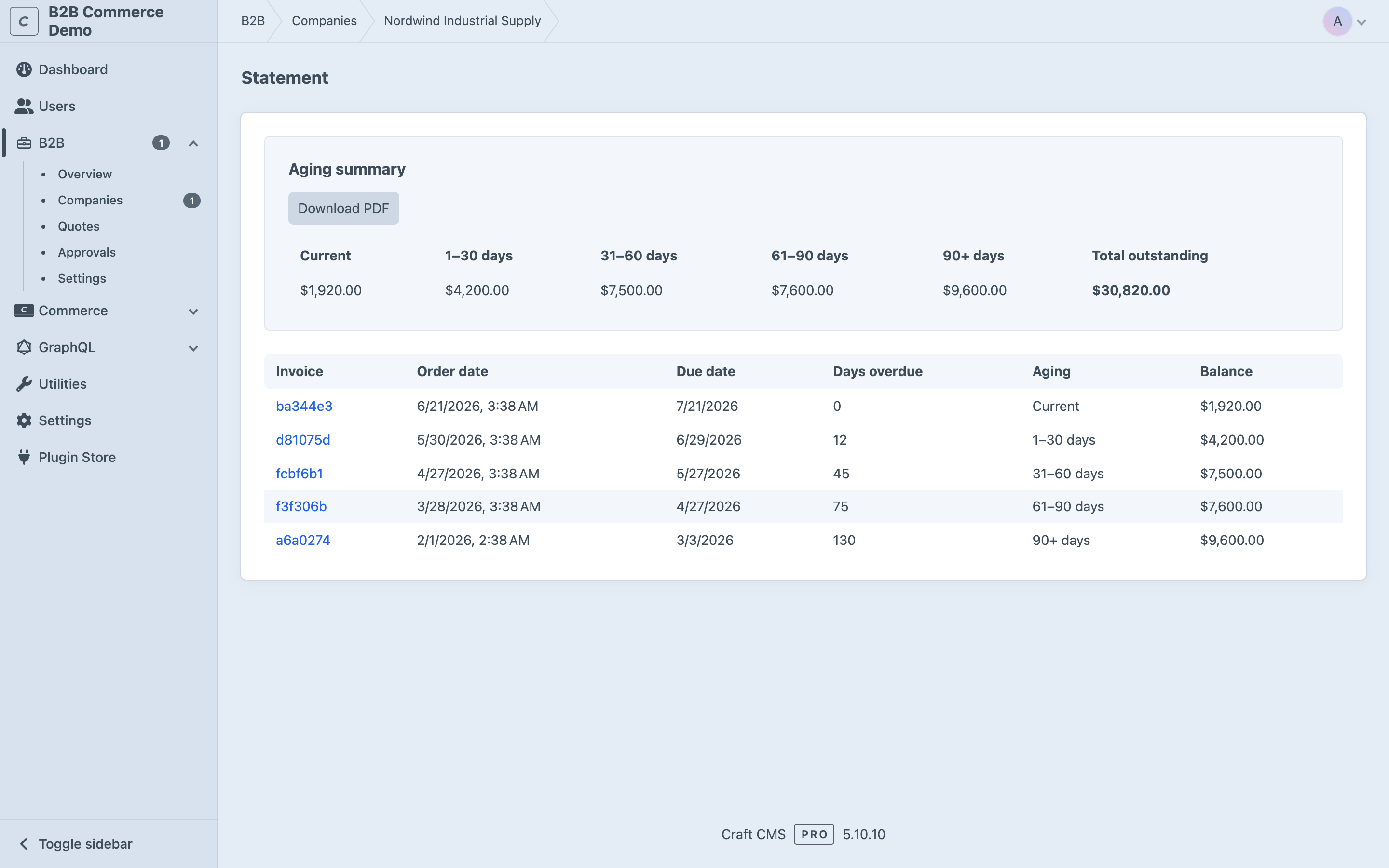
An offline invoice gateway lets approved companies check out on account. Credit limits are enforced on the storefront, outstanding balances are visible everywhere, and account statements give a full aging breakdown — with an opt-in dunning command for overdue-invoice reminders.
What you gain: you sell on invoice the way B2B expects, while never extending more credit than you are comfortable with. See Pay on account and Statements & dunning.
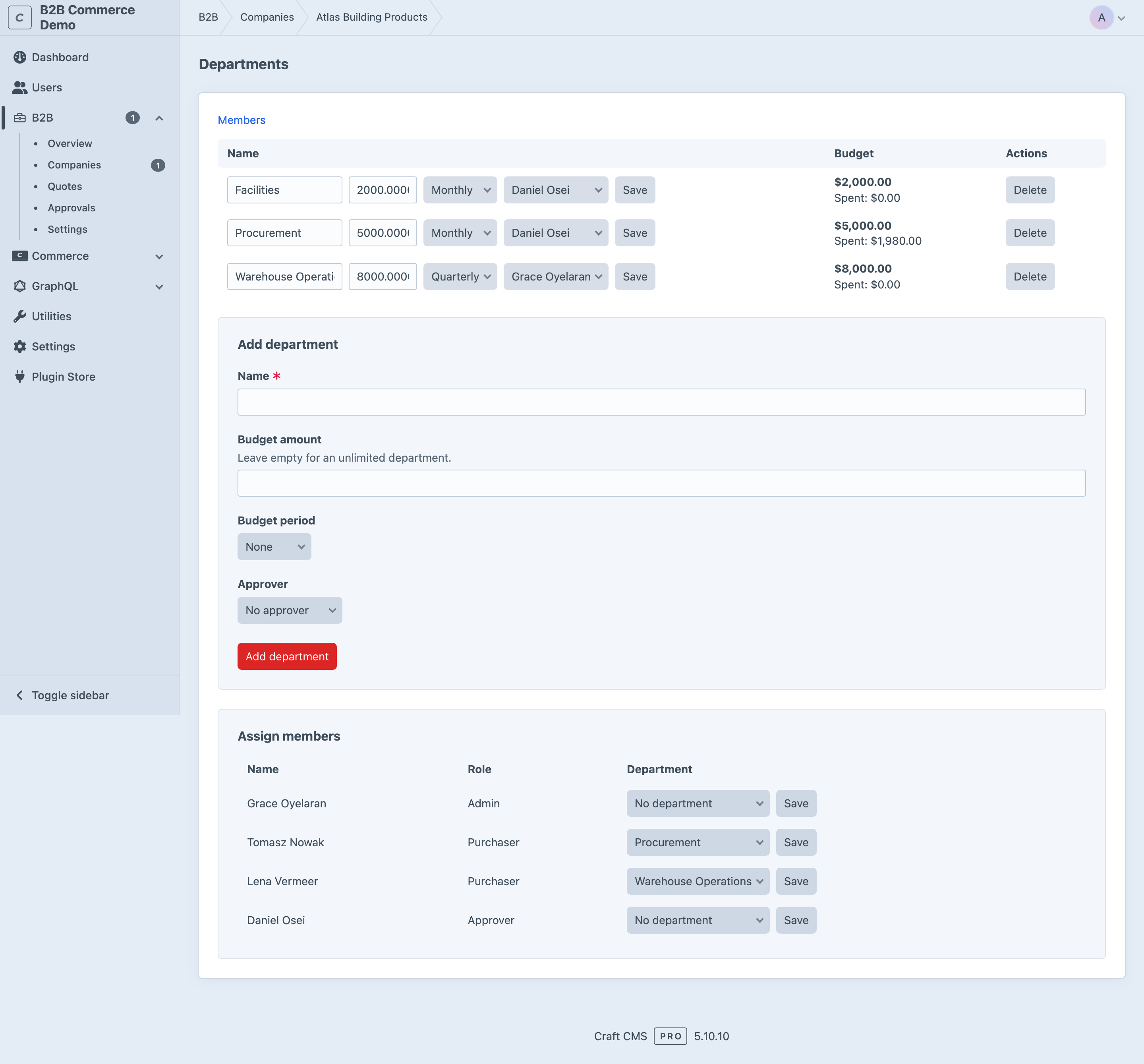
Departments & budgets
Layer per-member and per-department spending budgets on top of the company credit limit, with amount-tiered, department-scoped approval routing. Track real spend against each budget as orders complete.
What you gain: large buyers can delegate purchasing across teams without losing oversight of where the money goes. See Departments & budgets.
Quick order
Buyers paste SKUs, upload a CSV, re-order a past order, or keep shared company-wide order lists to drop into the cart in one go.
What you gain: repeat purchasing that takes seconds instead of clicking through the catalog every time. See Quick order & order lists.
Also included
- Sales reps — a rep can place orders on a company's behalf via Craft's native impersonation, with no elevated rights and a full audit log.
- Company-specific pricing & catalog — assign a company to a Craft user group for native Commerce catalog pricing, and restrict which products it may buy.
- PDF documents — quote, invoice and statement PDFs render through Commerce's own dompdf service, with overridable templates.
- EU VAT handling — company VAT IDs are validated against VIES and the intra-EU reverse charge is applied automatically at checkout (requires Commerce 5.3+).
- Developer surface — a
craft.b2btemplate variable, example storefront templates for every flow, and an opt-in GraphQL API. - Dutch translations for all control-panel and frontend strings.
Requirements
- Craft CMS 5, Pro edition — required, because business accounts rely on multiple users. The Solo edition only supports a single user and cannot run the B2B flows.
- Craft Commerce 5 (
^5.0). The EU VAT ID validation & reverse charge feature needs Commerce's native VAT support, which arrived in Commerce 5.3; every other feature works on Commerce 5.0–5.2. - PHP 8.2 or newer.
- MySQL or PostgreSQL — both are supported, since the plugin uses only Craft's query builder.
See Installation & requirements for the full details, or head straight to the quick start.
Where to get it
This is commercial software. Once it is available on the Craft Plugin Store, a licence must be purchased through the store for each production install.